简介
【基本介绍】
The official
3603.html">
Google I/O 2019 conference app is your co-pilot to navigate the conference, whether you're attending in-person or remotely. With the app, you can:
- Explore the conference content with details on topics and speakers
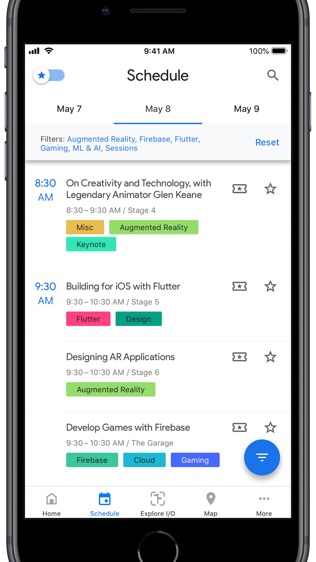
- Customize your schedule by saving events, with an option to add them to your personal calendar
- Sync your custom schedule between all of your devices and the I/O website
- Guide yourself using the vector-based conference map
- Use the home page to view upcoming sessions, announcements, and key conference moments
-
Search for sessions by topics and speakers
- Opt-in to receive important updates about the event, schedule, travel, after hours, session recordings and more
- Have a feature suggestion or notice a bug in the app File issues directly on our
GitHub repo and we'll address them throughout the event. Open the Support URL for more.
Exclusive for onsite attendees:
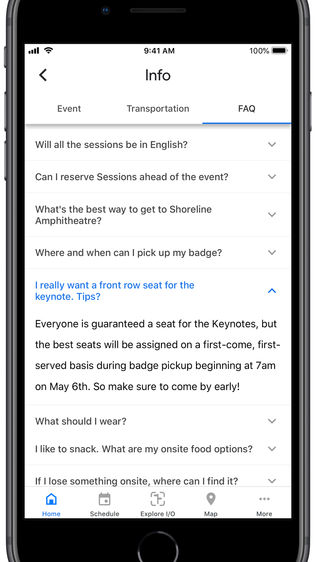
- Reserve seats for events ahead of time
- Explore I/O in Augmented Reality
- Take advantage of facilitated pre-event WiFi configuration
Permission notice:
Location: Google I/O uses your location to help you navigate the conference venue.
Camera: Google I/O requires camera permissions to take and store photos in AR Explore mode.
【更新日志】
- Fixed a crash when that occurred when navigating away from Explore mode with unresolved promises.
- Fixed an issue where session updates were processed on the main thread, causing the app to stutter.
- Fixed an issue where navigating away from Explore would cause the rest of the app to drop frames.
- Fixed a layout issue that prevented title cards in the Home screen from displaying correctly.



 安卓版推荐
安卓版推荐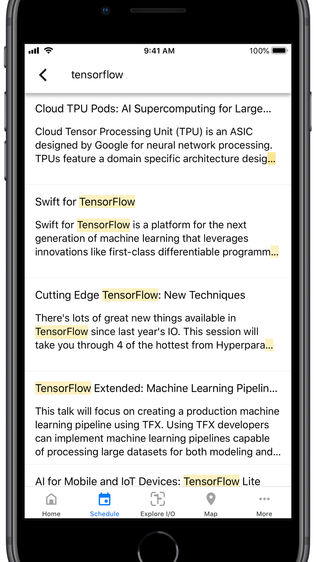

 相关合集
更多
相关合集
更多
 相关教程
相关教程 热搜标签
热搜标签
 网友评论
网友评论
 添加表情
添加表情 


 色情
色情


 官方
官方
 纠错
纠错





















 考研政治专题练习
 手游+
手游+
 游狗多开安卓版
 侠客游安卓版
 念佛计数器
念佛计数器
 异形大战铁血战士手游安卓版
 我叫MT3手游安卓版
 聚享游 安卓

 iTools手游助手(安卓模拟器)
 真正男子汉手游安卓版
 速度与激情8手游安卓版
 傲世三国内购安卓版
 像三国内购安卓版
 千岛之国内购安卓版
 征战三国内购安卓版
 城防三国内购安卓版