简介
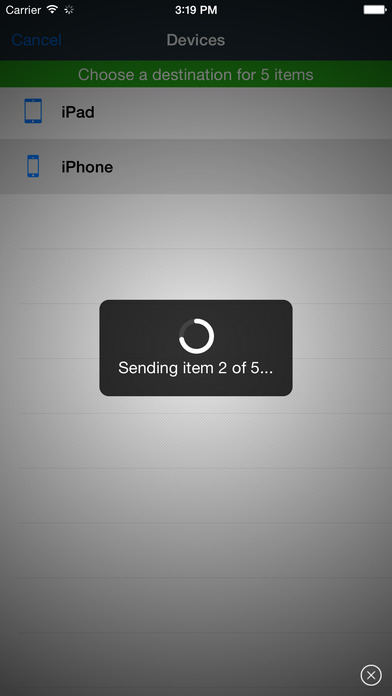
Exchange files between multiple devices seamlessly. File Transfer works cross-platform on Mac, Windows, iOS, and other mobile operating systems.
It is quick and easy. No configuration required, no need to enter an address to connect. Devices are automatically discovered. Select files and they are transferred to your devices and computers in seconds. Without
iTunes and without USB cable.
File Transfer is not a cloud. Files are transferred directly on your local network or Bluetooth*. No need to upload your files to the
Internet, then download them on any device.
To download File Transfer for other platforms go to
File Transfer is compatible with Local Cloud Pro, the Air
Video for your photos and documents, File Storage, the best file manager for iOS, and File Storage Companion (free for Mac and Windows).
If, in addition to transferring files, you need a rock solid file manager, look for "File Storage" on the App Store. File Storage does everything File Transfer does, and more.
Delite Studio develops high-quality native applications and delivers a great customer service. Do you enjoy using this app? Write a positive review. Do you need help? Let us know, we will do everything to help you.
* Bluetooth can be used only between iOS devices.
【更新日志】
We've redesigned File Transfer to make it even more beautiful, fast, and easy to use.
Enjoy the new update? Please write a review. And if you've got any ideas on how we can keep improving our app, we're all ears. Drop us a line through the page Contact at .







 最新软件
最新软件 相关合集
更多
相关合集
更多
 相关教程
相关教程 热搜标签
热搜标签
 网友评论
网友评论
 添加表情
添加表情 


 色情
色情


 官方
官方
 纠错
纠错

























 网易云音乐
网易云音乐
 网易云音乐
网易云音乐
 网易云音乐旧版本
 网易云音乐老版本
 酷狗音乐豪华
 酷狗音乐2017
 酷狗音乐真正
 酷狗音乐2013

 微信透明皮肤替换工具
 享学霸
享学霸
 学霸通
学霸通
 全民学霸
全民学霸
 全民学霸
全民学霸
 学霸记忆
学霸记忆
 企学霸
企学霸
 家有学霸
家有学霸