

时间:2026-10-23关注公众号来源:网络
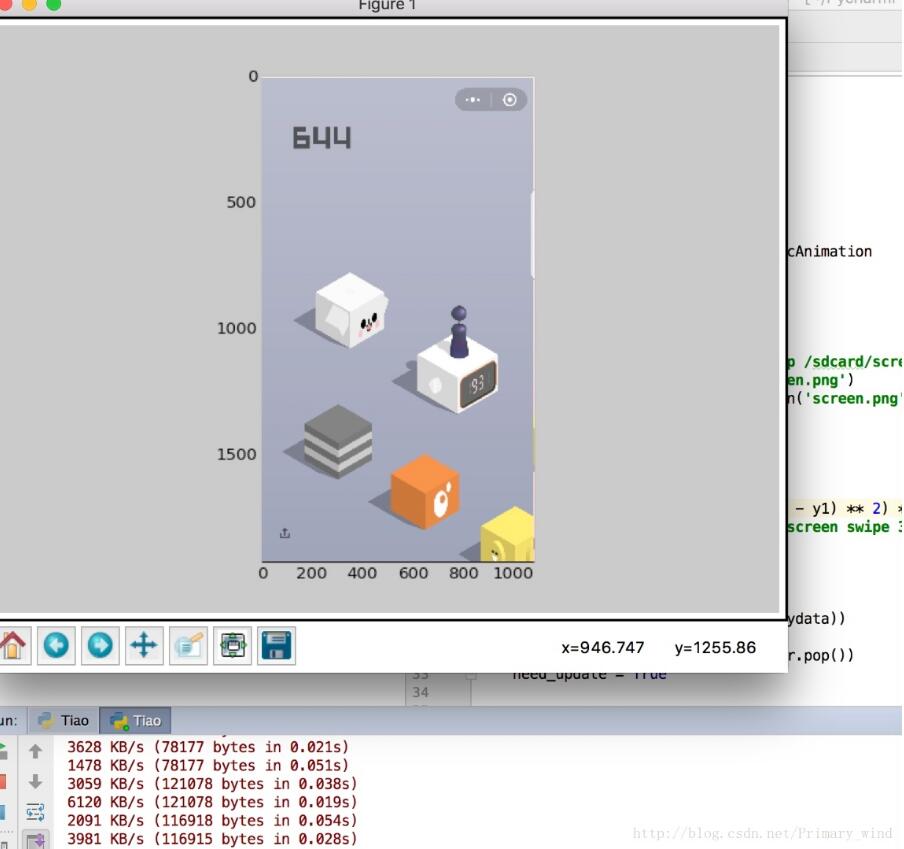
本文实例为大家分享了微信跳一跳游戏辅助Python代码,供大家参考,具体内容如下

?
1 2 3 4 5 6 7 8 9 10 11 12 13 14 15 16 17 18 19 20 21 22 23 24 25 26 27 28 29 30 31 32 33 34 35 36 37 38 39 40 41 42 43 44 45 46 47 48 49 50 51 52 53 54 55 56 57 | Stream Vera Sans Mono', 'Courier New', Courier, monospace !important; float: none !important; border-top-width: 0px !important; border-bottom-width: 0px !important; height: auto !important; color: rgb(0, 102, 153) !important; vertical-align: baseline !important; overflow: visible !important; top: auto !important; right: auto !important; font-weight: bold !important; left: auto !important; background-image: initial; background-attachment: initial; background-size: initial; background-origin: initial; background-clip: initial; background-position: initial; background-repeat: initial;" class="py keyword">importosimportPILimportNumPyimportmatplotlibmatplotlib.use('TKAgg')importmatplotlib.pyplot as pltimportTIMefrommatplotlib.animation importFuncAnimation# 是否需要进行图片更新need_update =Truedefget_screen_image(): # 截取手机当前图片 os.system('adb shell screencap -p /sdcard/screen.png') # 拉取到PC端 os.system('adb pull /sdcard/screen.png') # 将图像转成数组返回 returnnumpy.array(PIL.Image.open('screen.png'))defjump_to_next(point1, point2): x1, y1 =point1; x2, y2 =point2 distance =((x2 -x1) **2+(y2 -y1) **2) **0.5 # 计算按压指令和按压时长 os.system("adb shell input touchscreen swipe 320 410 320 410 %d"%(distance *1.35))defon_clack(event, coor=[]): globalneed_update coor.append((event.xdata, event.ydata)) iflen(coor) ==2: # 执行跳步指令 jump_to_next(coor.pop(), coor.pop()) # 进行图片刷新 need_update =Truedefupdate_screen(frame): globalneed_update ifneed_update: time.sleep(2) axes_image.set_array(get_screen_image()) # 已刷新,设置为false need_update =False returnaxes_image,figure =plt.figure()axes_image =plt.imshow(get_screen_image(), animated=True)figure.canvas.mpl_connect('button_press_event', on_clack)# 定时更新ani =FuncAnimation(figure, update_screen, interval=50, blit=True)plt.show() |